LIVE TV
LOCAL
ENGLISH
For You
Entertainment
National
Sports
Markets
Business & Economy
Lifestyle
World
Astrology & Religion
Technology
Education & Jobs
Auto
Politics
Viral
Opinions
Loading...
Home
Local
Live TV
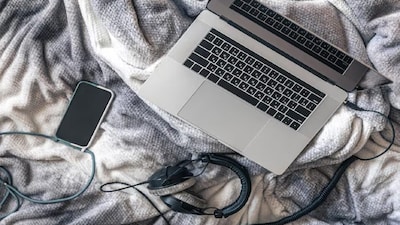
Laptop Slow? Boost Speed for Free with These Simple Settings!
Loading more articles...
Laptop Slow? Boost Speed for Free with These Simple Settings!
N
News18
•
22-03-2026, 13:57
Laptop Slow? Boost Speed for Free with These Simple Settings!
•
Unnecessary background apps, full storage, and junk files often slow down laptops, not just hardware issues.
•
Disable unnecessary startup apps via Task Manager (Ctrl + Shift + Esc) to improve boot time and reduce system load.
•
Clear junk files and cache using Disk Cleanup and regularly clear browser history and cookies to free up storage.
•
Reduce visual effects by selecting 'Adjust for best performance' in System Properties and enable 'Best Performance' mode in power settings.
•
Regularly update OS and drivers, and clean dust from vents and fans to prevent overheating and maintain performance.
Read Full Article on News18 in Marathi
✦
More like this
Stories
Add
Top News
Local
✦
More like this
Revive Your Old Laptop: 4 Cheap Gadgets Boost Speed & Performance
N
News18
Revive Your Old Laptop: Affordable Gadgets Boost Speed & Performance Instantly
N
News18
Revive Your Old Laptop: Rocket Speed for Just a Few Thousand Rupees!
N
News18
Transform Your Old Laptop into a Rocket for Just a Few Thousand Rupees!
N
News18
Laptop on Bed While Charging? Stop Now! Avoid These 5 Mistakes to Save Your Device
N
News18
Top Laptops Under ₹40,000: Best for Students & WFH!
N
News18