Unlock Faster: Hidden iOS Setting Boosts Face ID Accuracy!
Technology
M
Moneycontrol•13-01-2026, 22:34
Unlock Faster: Hidden iOS Setting Boosts Face ID Accuracy!
- •Many iPhone users experience inconsistent Face ID performance, often due to appearance changes, lighting, or phone angle.
- •Apple's 'Alternate Appearance' setting allows users to add a second facial scan, significantly improving Face ID reliability.
- •This feature helps Face ID recognize users more consistently by providing a broader range of facial data, especially for those whose appearance changes frequently (e.g., makeup, glasses, facial hair).
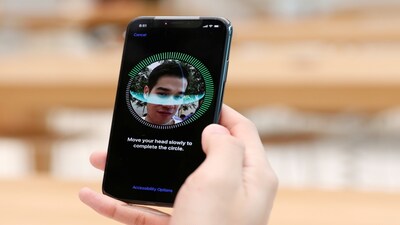
- •To set up, go to Settings > Face ID & Passcode, then select 'Set Up an Alternate Appearance' and complete a second scan.
- •For optimal results, perform the alternate scan under conditions where Face ID typically fails, such as wearing glasses or holding the phone at a difficult angle.
Why It Matters: Utilize the 'Alternate Appearance' setting in iOS to significantly improve Face ID accuracy and reliability.
✦
More like this
Loading more articles...